What is TradingView?
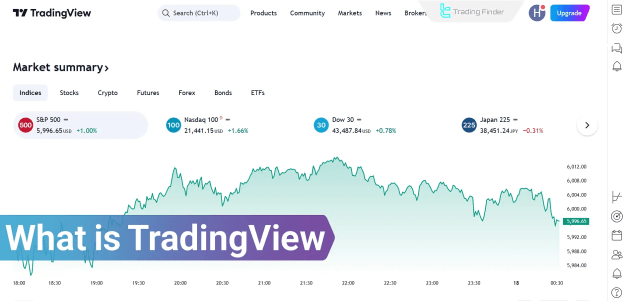
TradingView provides powerful tools for technical analysis, market visualization, and real-time data tracking. It supports a wide array of financial instruments and is trusted by retail and professional traders for its flexibility and comprehensive functionalities.
Users can access:
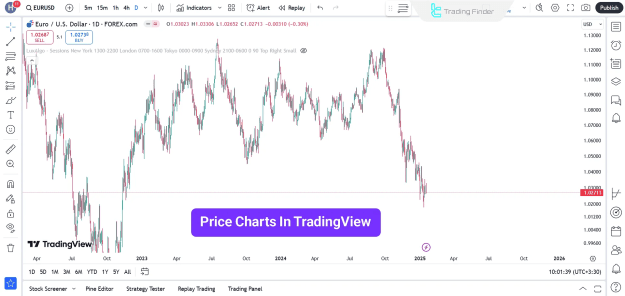
- Interactive and customizable charts
- Over 100 built-in indicators
- Real-time global market data
- Drawing tools for analysis
Key Features of TradingView
TradingView’s features are designed to support in-depth analysis, effective decision-making, and seamless market monitoring. The platform includes:
- Watchlists for real-time asset tracking
- Market screeners for identifying trading opportunities
- Trading alerts for price and indicator-based notifications
Advanced Charting Tools
TradingView offers a diverse range of chart types and customization options, enabling users to analyze price behavior efficiently.
Available chart types:
- Candlestick
- Heikin Ashi
- Renko
- Kagi
- Line and Area charts
Charting functionalities:
- Multiple timeframes
- Custom visual themes
- Price action analysis
- Pattern recognition tools
Technical Indicators
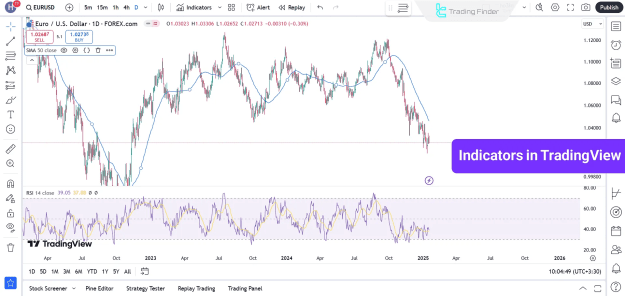
The platform includes more than 100 pre-installed technical indicators. Users can also create or import custom indicators to enhance their trading strategies.
Popular indicators on TradingView:
- Moving Averages (MA)
- Relative Strength Index (RSI)
- Moving Average Convergence Divergence (MACD)
- Bollinger Bands
These indicators assist in identifying market trends, momentum, volatility, and potential entry or exit points.
Drawing Tools
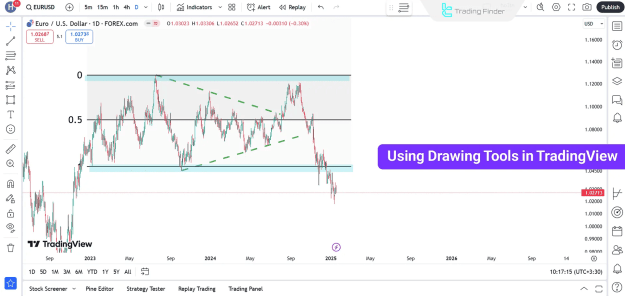
TradingView offers a comprehensive collection of drawing tools that assist traders in visual analysis.
Notable drawing tools include:
- Trendlines and channels
- Fibonacci retracement and extension tools
- Support and resistance level markers
- Geometric shapes and text annotations
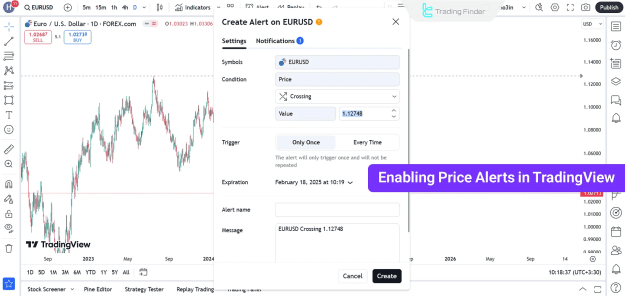
Trading Alerts
Users can configure custom trading alerts based on various conditions such as price levels, indicator thresholds, or market events.
Alert notifications are sent via:
- Platform pop-ups
- SMS
- Mobile push notifications
- Webhooks for automated integrations
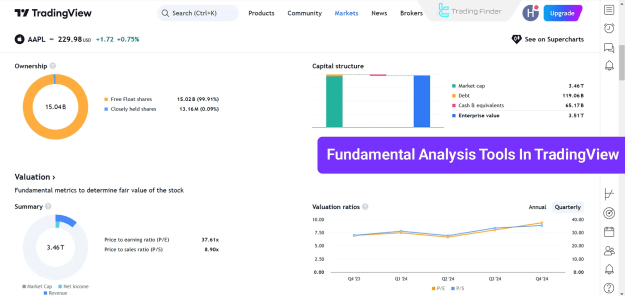
Fundamental Analysis Tools
Beyond technical analysis, TradingView offers access to fundamental data, allowing users to evaluate the intrinsic value of stocks and other instruments.
Fundamental data includes:
- Financial ratios
- Earnings reports and balance sheets
- Historical financial performance
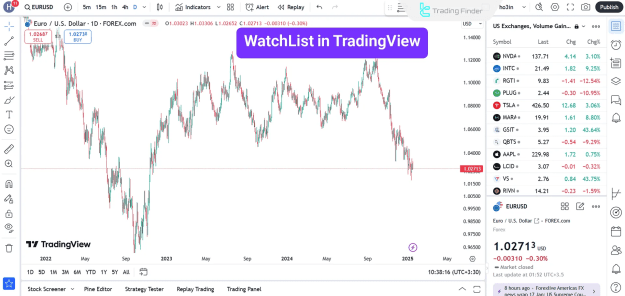
Watchlist Functionality
The Watchlist feature allows users to monitor multiple instruments in real-time. It enables easy switching between assets and provides up-to-date price movements and volume data.
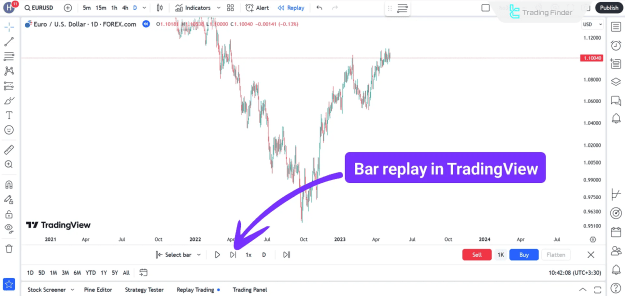
Bar Replay Tool
The Bar Replay tool simulates historical price movements to allow traders to backtest strategies and evaluate trading scenarios as if in real time.
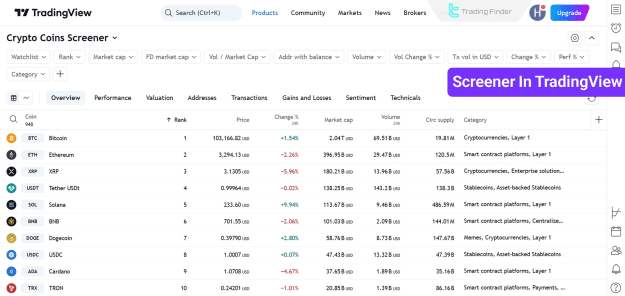
Market Screener
The Market Screener helps traders discover potential opportunities by filtering instruments based on selected parameters such as volume, volatility, RSI, and price movement.
News Coverage
TradingView integrates comprehensive, real-time financial news feeds from globally recognized sources. This enables users to stay informed about economic developments, company earnings, and geopolitical events affecting the markets.
Pine Script Language
The platform features Pine Script, a proprietary scripting language that allows users to build custom indicators, strategies, and alerts. It is designed for traders looking to automate and personalize their trading experience.
Trading Ideas Section
Users can share their Trading Ideas, strategies, and analyses or get inspired by the trading plans and setups posted by other professionals worldwide.
Live Video Streaming
TradingView supports live broadcasting, allowing traders and analysts to present market commentary, strategies, and tutorials in real-time to a global audience.
Community Chat Feature
The chat function enables real-time conversations among users, fostering collaboration and knowledge-sharing within the TradingView community.
TradingView Pros and Cons
TradingView delivers a robust platform for both technical and fundamental analysis, yet it also presents some limitations.
Pros:
- Extensive charting and analysis tools
- Access to global financial markets
- Customizable layouts and indicators
- Real-time price data and alerts
- Active community and idea-sharing platform
Cons:
- Some features restricted to paid plans
- Limited integration with certain brokers
- Customer support could be more responsive
Conclusion
TradingView stands out as an all-in-one platform for charting, analysis, and strategy development. Whether for technical or fundamental analysis, its comprehensive tools—such as 100+ indicators, advanced chart types, drawing tools, bar replay, and watchlists—make it a preferred choice for traders across all markets.
With additional tools like trading alerts, Pine Script, market screeners, and real-time news feeds, TradingView helps traders remain informed and responsive to market movements.