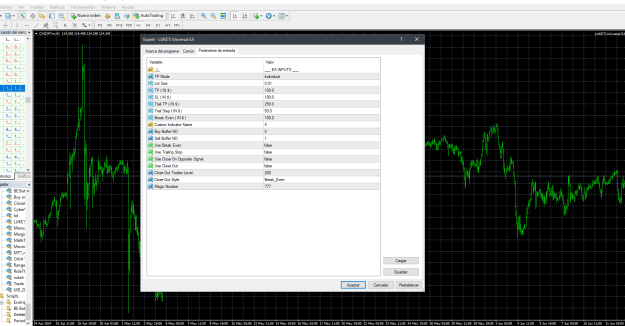
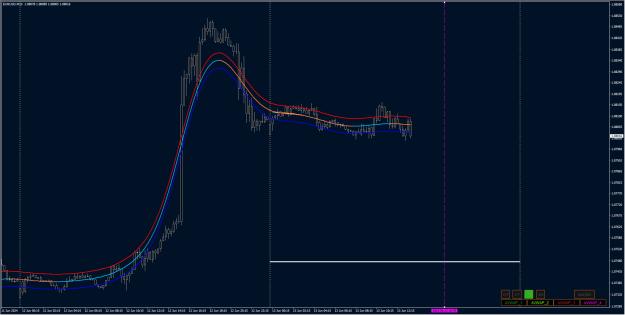
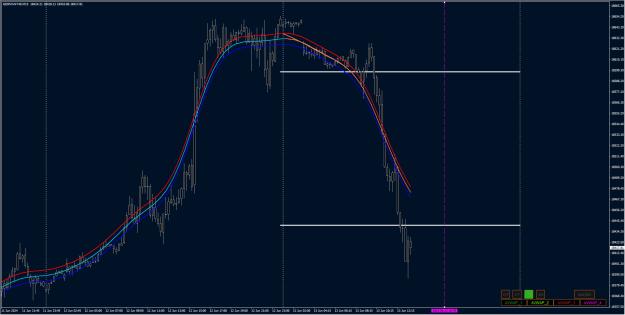
This expert is supposed to buy or sell on every tick but it´s not working, no errors shown after compiling neither what could be happening?
Attached File(s)
I will code your pivot EAs for no charge 28 replies
I will code your scalping EAs for no charge 163 replies
Oanda MT4 - Indicators and EAs not showing 2 replies
EAs and indicators relating to moutaki... 22 replies
InterbankFX has loaded its MT4 platform with custom EAs, indicators and scripts 1 reply
Disliked..EA by adding these following features: 1) TP, SL, Trailing, Trail Step, Breakeven in pips 2) Exit buffer no (possibly with feature for a second indicator - maybe a MA cross, or a simple arrow indicator, or above and below a moving average?) 3) Max no of Buy and Sell Trades .Ignored
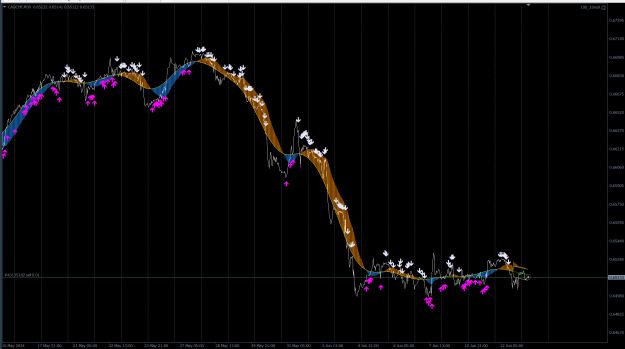
Disliked......the blue mode should work just fine: Sell Buffer is 8 (arrow pointing down) Buy Buffer is 9 (arrow pointing up) ........Ignored
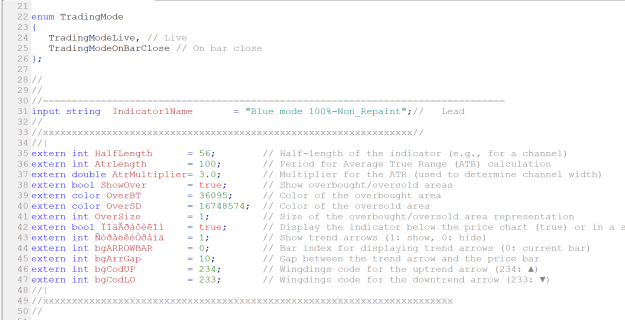
//+------------------------------------------------------------------+ //| | //+------------------------------------------------------------------+ extern int HalfLength = 55; extern int AtrLength = 987; extern double AtrMultiplier = 1.0; extern bool ShowOver = true; extern int OverBT = 36095; extern int OverSD = 16748574; extern int OverSize = 1; extern bool ÏîäÃðàôèêîì = true; extern int ÑòðåëêèÒðåíä = 1; extern int bgARROWBAR = 0; extern int bgArrGap = 10; extern int bgCodUP = 226; extern int bgCodLO = 225;
Disliked{quote} No, it is not! {image} Buffer8 is blank, and it can be EMPTY_VALUE or 0 (most often it is). Buffer9 is returning a price. The EA has a good condition which checks if the value of the given Buffer is >0 and not equal EMPTY_VALUE. This means that in your case Buffer9 is > 0 and not equal EMPTY_VALUE -> therefore signal on Bar[1] is Arrow Pointing Up. The EA checks first closed Bar.Ignored
and so on, each time the input loop repeats, for this i can assign how many times i want this loop to repeat
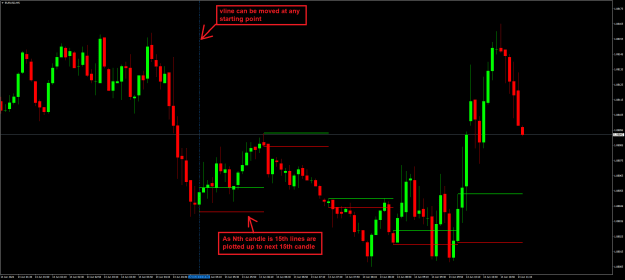
idea behind it is to manually plot on chart important economic events with specific hourly candle selection
i can do this manually, but i was looking to automate it a bit
i am just trying to put data points like these ON CHART for easy reference
Disliked// {quote} {quote} // My Take: - Test this EA //+------------------------------------------------------------------+ //| | //+------------------------------------------------------------------+ extern int HalfLength = 55; extern int AtrLength = 987; extern double AtrMultiplier = 1.0; extern bool ShowOver = true; extern int OverBT = 36095; extern int OverSD = 16748574; extern int OverSize = 1; extern bool ÏîäÃðàôèêîì = true; extern int ÑòðåëêèÒðåíä = 1; extern int bgARROWBAR = 0; extern int bgArrGap = 10; extern int bgCodUP = 226; extern int bgCodLO...Ignored
DislikedDear best traderev sir This fourm is most trusted fourm of forex factory.but 5-6 time I request here but result 0. Now one more request may be final. I want in this indicator (stochastic expression mq4) Plz add divergence,or suport and resistance line,or trendline, Remember this is sub windows indicator. So plz add on this # every top and bottom drow line on separate chart #drow Trend line maximum 2 point #divergence If possible add all or maximum Thanks advance {file}Ignored
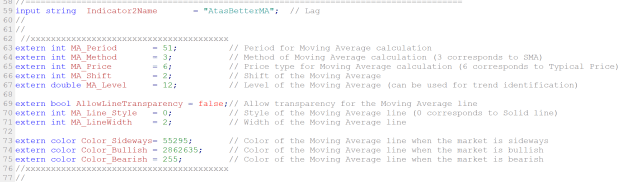
extern int MA_Period = 51; // Period for Moving Average calculation extern int MA_Method = 3; // Method of Moving Average calculation (3 corresponds to SMA) extern int MA_Price = 6; // Price type for Moving Average calculation (6 corresponds to Typical Price) extern int MA_Shift = 2; // Shift of the Moving Average extern double MA_Level = 12; // Level of the Moving Average (can be used for trend identification) extern bool AllowLineTransparency = false; // Allow transparency for the Moving Average line extern int MA_Line_Style = 0; // Style of the Moving Average line (0 corresponds to Solid line) extern int MA_LineWidth = 2; // Width of the Moving Average line extern color Color_Sideways = 55295; // Color of the Moving Average line when the market is sideways extern color Color_Bullish = 2862635; // Color of the Moving Average line when the market is bullish extern color Color_Bearish = 255; // Color of the Moving Average line when the market is bearish
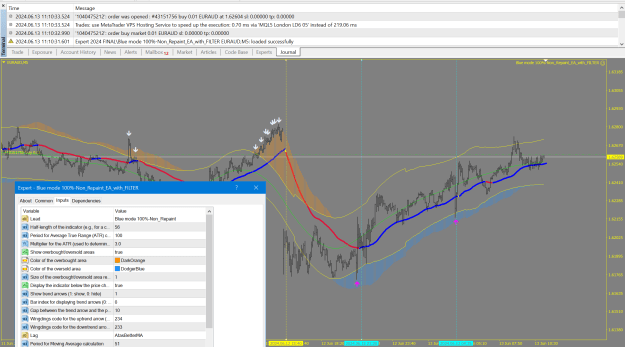
extern int HalfLength = 56; // Half-length of the indicator (e.g., for a channel) extern int AtrLength = 100; // Period for Average True Range (ATR) calculation extern double AtrMultiplier= 3.0; // Multiplier for the ATR (used to determine channel width) extern bool ShowOver = true; // Show overbought/oversold areas extern color OverBT = 36095; // Color of the overbought area extern color OverSD = 16748574; // Color of the oversold area extern int OverSize = 1; // Size of the overbought/oversold area representation extern bool ÏîäÃðàôèêîì = true; // Display the indicator below the price chart (true) or in a separate window (false) extern int ÑòðåëêèÒðåíä = 1; // Show trend arrows (1: show, 0: hide) extern int bgARROWBAR = 0; // Bar index for displaying trend arrows (0: current bar) extern int bgArrGap = 10; // Gap between the trend arrow and the price bar extern int bgCodUP = 234; // Wingdings code for the uptrend arrow (234: ▲) extern int bgCodLO = 233; // Wingdings code for the downtrend arrow (233: ▼)
Disliked{quote} We can't do anything with your request, if you don't post the mq4 file and your conditions for the alerts... BTW: https://forex-station.com/attach/file/3440230 And the whole Nadaraya-Watson System is here: https://forex-station.com/viewtopic....08#p1295489408Ignored
Disliked// {quote} Show me those field, the EA above, (My EA version), use provided indicator "as it is". {quote} Indicator must be inside: \MQL4\Indicators (Folder) {quote} I have improved the EA by adding Filder, AtasBetterMA, So for EA to wor make sure both indicators are inside \MQL4\Indicators (Folder) // Filter Indicator(Lag): "AtasBetterMA" extern int MA_Period = 51; // Period for Moving Average calculation extern int MA_Method = 3; // Method of Moving Average calculation (3 corresponds to SMA) extern int MA_Price = 6; // Price type for Moving Average...Ignored
Disliked{quote} Right you are, thanks for letting me know. I can't edit the original post past 24hrs so I'll attach here. HighLow_every_n_from_vline {file}Ignored
Disliked// {quote} Show me those field, the EA above, (My EA version), use provided indicator "as it is". {quote} Indicator must be inside: \MQL4\Indicators (Folder) {quote} I have improved the EA by adding Filder, AtasBetterMA, So for EA to wor make sure both indicators are inside \MQL4\Indicators (Folder) // Filter Indicator(Lag): "AtasBetterMA" extern int MA_Period = 51; // Period for Moving Average calculation extern int MA_Method = 3; // Method of Moving Average calculation (3 corresponds to SMA) extern int MA_Price = 6; // Price type for Moving Average...Ignored
Disliked{quote} Wow !!! Thanks a lot. I need to check and get back. But many many thanks.Ignored
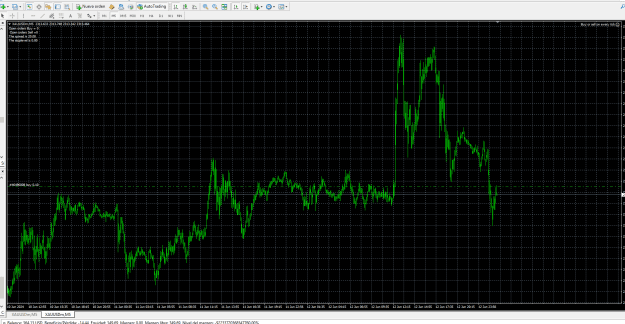
DislikedThis expert is supposed to buy or sell on every tick but it´s not working, no errors shown after compiling neither what could be happening? {image} {file}Ignored
Disliked{quote} The filter is a very good option. But can it be possible to also have the option to simply take trades from arrow to arrow? and then reverse positions?Ignored
extern int delay_bars = 10; // Max distance between main signal(Your indicator) and filter, bars
Disliked{quote} I would advise that you don't put your hopes too high! No EA will make profits with that indicator as it is, I mean by trading all the signals. It takes much more than that to make a profit, and no EA can do this job completely automatically without your supervision. Signals are just signals, and the fact that they are non-repaint deosn't mean that they are accurate.Ignored
Disliked{quote} // - Found and fixed one error // I have added this option also extern int delay_bars = 10; // Max distance between main signal(Your indicator) and filter, bars // Try now rev2 {file}Ignored
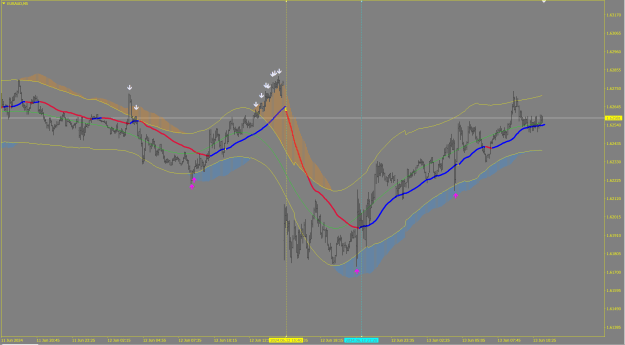
Disliked{quote} Hi BestTraderEv, and thank you for answering me I would like to modify the alert of the Nadaraya Estimator indicator following the logic of a strategy that has a crazy return according to this rule: Arrow and alert to sell on the upper band of the Nadaraya: 1. wait for the blue candle to open and close its body out of the upper band of the nadaraya estimator 2 . if the next candle changes color (to red), alert and arrow at the close of the candle (see attached photo). The color change is important see second photo: first candle open and...Ignored