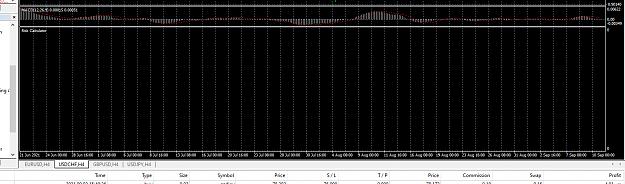
{quote} The source code you posted has the website link. You can go to this website link to download the full code, the compile errors are due to missing include files. https://www.earnforex.com/metatrader...sk-Calculator/
thanks for your help. i just added the include folder. and tried it but it still shows nothing on the chart.
Attached Image (click to enlarge)
i then compiled it again and this time there were no errors.
Attached Image (click to enlarge)
but still shows nothing. ive had this working for a long time now. i still have it working on a few other MT4's still. i attached the symbol changer indicator above, so thought this maybe the issue, but then downloaded 2 fresh mt4's and tried it on them but still doesnt work. any other ideas would be appreciated. thanks
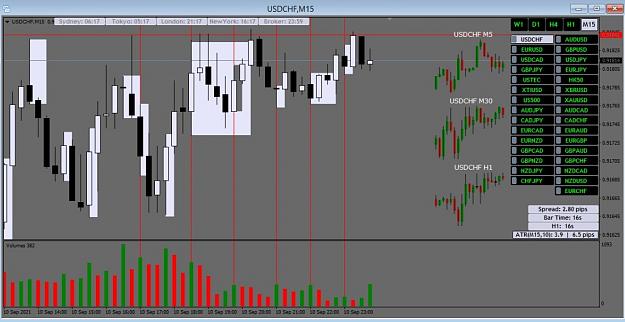
Hello, I would like to request a MTF indicator for Mt4 which draws a box/rectangle on bars with high(GREEN) volume from high to low, of which the box should stop extending/painting on the close of a breakout bar on any time frame(e.g using the MTF indicator for m15 volume and I switch to m5 and see a closed candle breaker it should stop painting/extending). The box/rectangle will be drawn after the next bar closes in order to tell if the volume was the high/green or if there is still an increase in volume(not paint boxes during increases which will make it a recalculating indicator.
I have attached an example below. I would really appreciate the help. Thank you
thanks for your help. i just added the include folder. and tried it but it still shows nothing on the chart. {image} i then compiled it again and this time there were no errors. {image}but still shows nothing. ive had this working for a long time now. i still have it working on a few other MT4's still. i attached the symbol changer indicator above, so thought this maybe the issue, but then downloaded 2 fresh mt4's and tried it on them but still doesnt work. any other ideas would be appreciated. thanks this is how it shows on my other terminals {image}...
Ignored
If there's no open orders or pending orders on that MT4 terminal, it will not display anything.
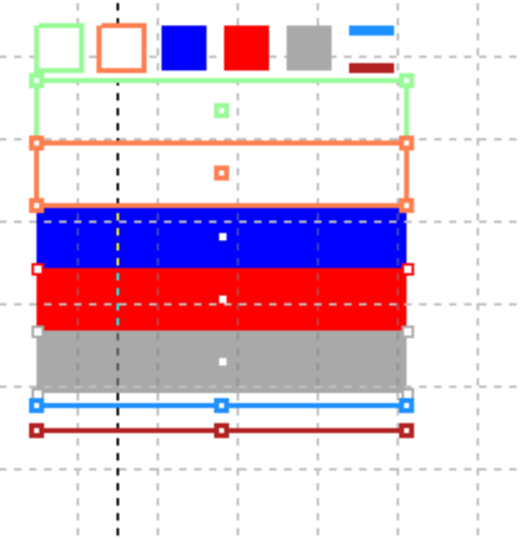
hello friends, has anyone coded this indicator to draw rectangles for MT5? thanks and blessings {image}
Ignored
What's the advantage of this tool over the standard rectangle drawing tool in MT5? I am asking this because if there isn't such a tool and it is beneficial in some ways, maybe some programmers might be interested to create it.
Thanks for your contribution, can you see the possibility of adding 2 buttons of the same indicator with different timing? for example 1 button with weekly timing, another button with daily timing, thanks in advance.
Joined Feb 2016
|
Status: Trading Live.
|430 Posts
Hello Traders,
I make multiple entries for my trades and then I need to set take profit levels to the same place as the moving averages relocate. That is actually lots of work to follow and reset all tps.
A horizontal line on the chart to show and set my tp levels would be great.
Is there any indicator or ea to do that?
Regards,
Hüseyin.
There are no weapons that will form against my financial prosperity.
{quote} If there's no open orders or pending orders on that MT4 terminal, it will not display anything.
Ignored
thanks for the reply....yes, i have two open positions....just baffles me as it was and is till working fine on other terminals. just refuses to load up on any fresh terminals.....
does anyone have a risk calculator similar to this which calculates your risk per open position and pending positions, based on the stop loss and lot size,
hi Jean. i see you have adjusted this already. just came across it and seems to go most of the way in allowing a symbol changer i have found, too keep analysis separate from each chart. would you mind making a few more adjustments to it.
make the 50% line in split rectangle 6 extend and adjust when resizing the rectangle.
ability to adjust the length of the 50% line in the settings. say by pixels, so that it can overlap the right side of the rectangle. or both sides.
ability to remove rectangle/lines from indicator panel which is located on the chart, when say, the colour is turned off.
a show/hide button for the indicator panel and the lines and rectangles placed on the chart. maybe a double click thing like you did with the MP.
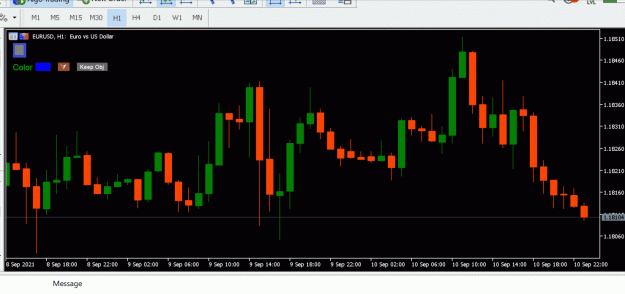
i modified this tool to switch the chart to fixed mode when you double click on the chart but cannot figure out how it can switch back to normal scale mode when you double click again. can someone please help? thanks
Would it be possible to make a moving average indicator that you can attach to other indicators (like in the standard MT4 platform) and also creates arrows on the chart when it changes direction?
Thanks!!!
normally the label is comes under the line.. is it possible to make it upside the line... what to write for that ...i just show to how it is in buy tp1 tp2 breakout as on above the line.. i want to make like this type label.. void ManageLabel(string lName, string lText, datetime lTime, double lPrice, color lColor) { string _lName = short_name + lName; if(ObjectFind(_lName) < 0) { ObjectCreate(_lName, OBJ_TEXT,CHARTWINDOW, lTime, lPrice); } else { ObjectMove(_lName, ANCHOR_POINT_ZERO, lTime, lPrice); } ObjectSetText(_lName, lText, 10, "Comic Sans...
Ignored
Hello pls can you share this indicator I have been searching to complete my Breakout trading,pls share.Thanks
{quote} hi Jean. i see you have adjusted this already. just came across it and seems to go most of the way in allowing a symbol changer i have found, too keep analysis separate from each chart. would you mind making a few more adjustments to it. make the 50% line in split rectangle 6 extend and adjust when resizing the rectangle. ability to adjust the length of the 50% line in the settings. say by pixels, so that it can overlap the right side of the rectangle. or both sides. ability to remove rectangle/lines from indicator panel which is located...
Ignored
That's several changes, I wont be getting around to any of them.



 I will code your EAs and Indicators for no charge