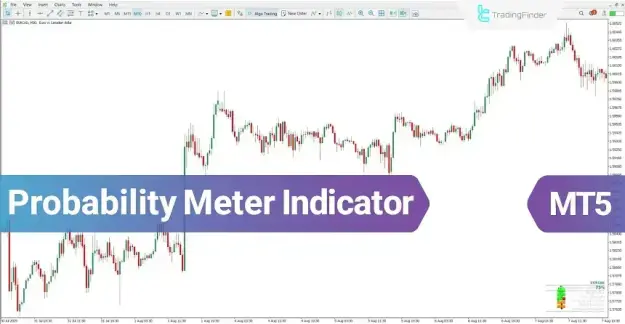
In addition to identifying potential market direction, this indicator evaluates signal strength and market volatility across various currency pairs. By integrating widely used indicators such as MACD and Stochastic, it offers a structured and comprehensive view of market behavior.
 You can download it from this link:
https://cdn.tradingfinder.com/file/6...5-by-tflab.zip
 You can also access the MetaTrader 4 version of this Indicator through this page:
https://www.cryptocraft.com/thread/1...mt4-free-tflab
 For instructions on how to install:
https://www.forexfactory.com/thread/...-in-metatrader
Prop Firm DrawDown Protector : Prop Firm Capital Protection Expert MT5 |Forex Money Management: Forex Trade Management Expert MT5 | ICT Concepts Indicator MT5 |Smart Money Concepts Expert MT5 | Smart Money Trap Scanner | Get a free Expert Advisor license via Telegram and WhatsApp
Specification of the Probability Meter Trend Indicator
Indicator Categories
- Signal & Forecast MT5 Indicators
- Currency Strength MT5 Indicators
- Trading Assist MT5 Indicators
Platform
- MetaTrader 5
Trading Skill Level
- Beginner
Indicator Type
- Reversal Indicator
Timeframe
- Multi-Timeframe
Trading Style Compatibility
- Swing Trading
- Scalping
- Day Trading
Supported Instruments
- Forex
- Cryptocurrencies
- Stocks
Probability Meter Indicator Overview
The Probability Meter Indicator generates trading signals based on internal analytical calculations. These signals are presented as percentages and supported by color-coded visuals to improve interpretation.
- Identifies the likely market direction as Long or Short
- Measures the strength of each signal using percentage values
- Enhances visibility through graphical and color-based representation
Bullish Signal Analysis
In bullish conditions, the indicator highlights potential upward price movement using probability metrics.
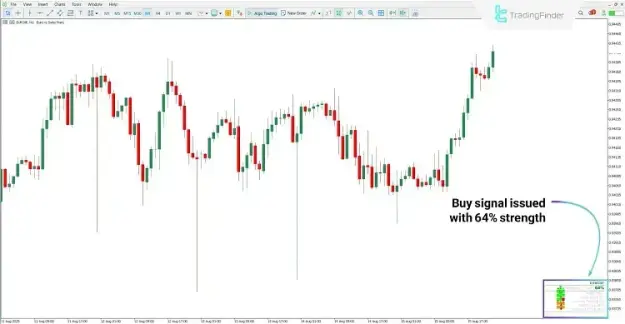
- Example: On the EUR/CHF 1-hour timeframe, a buy signal was issued with approximately 64% probability
- Supporting indicators, including MACD and Stochastic, confirmed the upward trend
- Visual cues, such as color changes, reinforced the bullish signal
Bearish Signal Analysis
During bearish market scenarios, the indicator detects potential downward trends and presents them with corresponding probability levels.
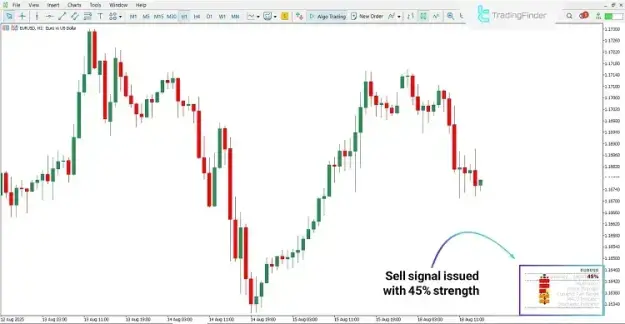
- Example: On the EUR/USD chart, a sell signal appeared with approximately 45% strength
- Additional technical indicators supported the bearish outlook
- Consistent signals across tools strengthened the reliability of the analysis
Probability Meter Indicator Settings
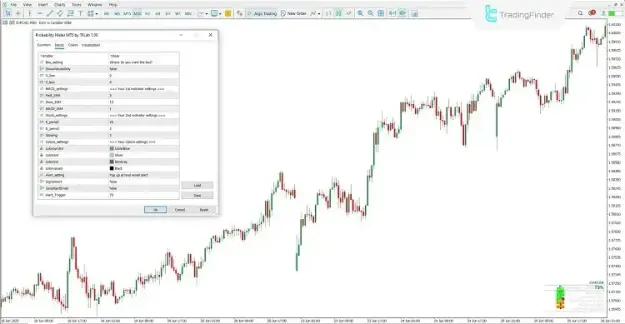
Box Settings
- ShowValuesOnly: Displays numerical data without graphical bars
- X_box: Adjusts horizontal positioning of the display panel
- Y_box: Adjusts vertical positioning of the display panel
MACD Settings
- Fast_EMA: Sets the period for the fast exponential moving average
- Slow_EMA: Sets the period for the slow exponential moving average
- MACD_SMA: Defines the smoothing period of the signal line
Stochastic Settings
- K_period: Specifies the period of the main stochastic line
- D_period: Specifies the signal line period
- Slowing: Controls the smoothing factor
Color Settings
- Colorsymbol: Determines the color of icons and symbols
- Colorfont: Adjusts the color of text labels
- Colorline: Defines the color of indicator lines
- Colorvalues: Sets the color of displayed numerical values
Alert Settings
- SignalAlert: Enables or disables signal notifications
- SendAlertEmail: Allows alerts to be sent via email
- Alert_Trigger: Defines the threshold level for triggering alerts
Conclusion
The Probability Meter Indicator is an effective MT5 tool that combines established technical indicators such as MACD and Stochastic to present market probabilities in a clear and structured format.
- Determines market direction as Long or Short
- Evaluates signal strength through percentage-based outputs
- Improves analysis through color-coded visualization
By leveraging multi-timeframe analysis and probability-based insights, this indicator provides traders with a practical framework for identifying trading opportunities and navigating market uncertainty with greater confidence.