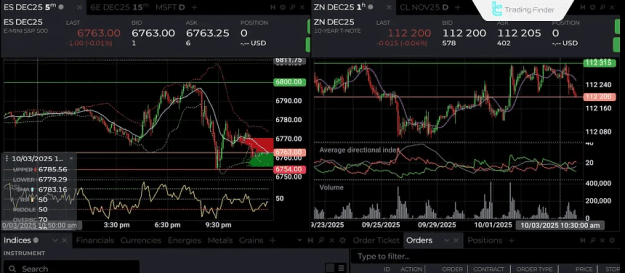
Key capabilities such as customized strategy design, backtesting, robust risk management, and connectivity to diverse brokerages solidify NinjaTrader’s standing as a primary platform for both professional and semi-professional traders. In addition to these features, the platform also serves as a valuable resource for forex education, offering traders the tools and environment necessary to study currency-market behavior, test forex-specific strategies, and develop a deeper understanding of market dynamics.
Prop Firm DrawDown Protector : Prop Firm Capital Protection Expert MT4 | Forex Money Management: Forex Trade Management Expert MT4 |ICT Concepts Indicator MT4 | Smart Money Concepts Expert MT4| Smart Money Trap Scanner | Get a free Expert Advisor license via Telegram and WhatsApp
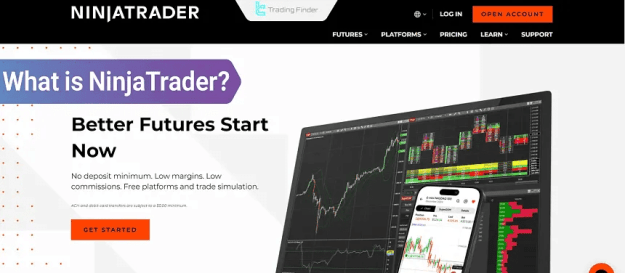
What is NinjaTrader?
NinjaTrader is a professional-grade trading platform utilized for analysis, strategy development, and the execution of orders across various markets, including forex, stocks, and futures.
Initially launched in 2003, it has grown to become a top choice for traders due to its rich feature set and rapid performance. Users can utilize advanced analytical tools, high-precision charts, and programmability through the NinjaScript environment to design and automatically deploy trading strategies.
While offering a free version for charting and analysis, the more advanced editions of the platform provide direct connectivity to brokerages for live trading.
Pros and Cons of NinjaTrader
NinjaTrader's combination of analytical depth, automated trading capabilities, and high execution speed makes it ideal for professional traders. However, its initial configuration complexity and the requirement for a powerful system can present hurdles for newcomers.
Here is a breakdown of the platform's key benefits and limitations:
- Pros
- Professional and highly customizable interface.
- Full support for automated trading using NinjaScript.
- Accurate backtesting capabilities utilizing historical data.
- Advanced tools for Order Flow and Volume Analysis.
- Access to numerous custom indicators and add-ons via the NinjaTrader Ecosystem.
- High-speed order execution and stable connectivity to major brokerages.
- Compatibility with reputable brokers such as Interactive Brokers, OANDA, and FXCM.
- Multiple available editions for desktop, web, and mobile use.
- Cons
- Presents initial complexity for new users.
- Requires a relatively powerful hardware setup for optimal performance.
- Support for users outside the U.S. can be limited.
- Higher cost associated with professional editions (Trader+ and Order Flow+).
- Does not offer full support for all brokers and financial markets.
- The free demo version is active only for a limited period (13 days).
- Certain broker connections require technical configuration and familiarity with API structures.
- No official support for macOS (requires an emulator or Windows).
Features and Capabilities of NinjaTrader
The wide array of specialized tools and features in NinjaTrader facilitates precise analysis and fast order execution while allowing users complete control over their trading workspace customization.
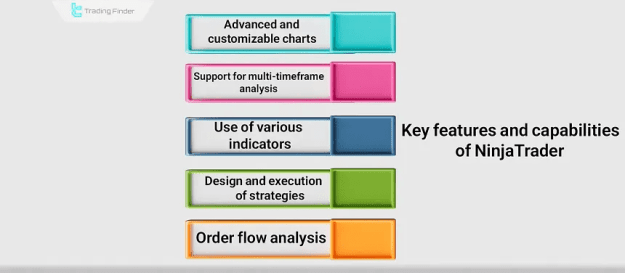
Key functionalities include:
- Advanced, customizable charts tailored for technical analysis.
- Support for multi-timeframe analysis.
- Access to diverse and extensible indicators.
- Design and execution of custom strategies via the NinjaScript programming language.
- Tools dedicated to Order Flow and Volume Analysis.
- Accurate historical data backtesting.
- Comprehensive automated trading functionalities.
- Advanced order-management tools (ATM Strategies).
- Direct connectivity to brokerages and live trading accounts.
- Extensive workspace customization.
- Support for custom add-ons and third-party indicators.
- Real-time data display and trading alerts.
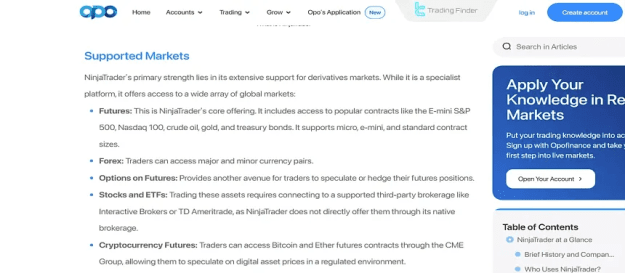
- Usability across diverse financial markets (Forex, Futures, Stocks).
NinjaTrader Editions
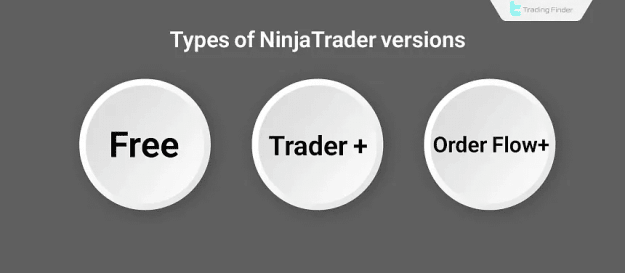
The platform is offered in different editions, enabling traders to select the option that best matches their experience level and requirements. While the software has been offered as "NinjaTrader 7" and the more recent, faster, and more stable "NinjaTrader 8," there are three primary user tiers:
- Free: Suitable for charting, technical analysis, indicator usage, and simulated trading.
- Trader+: Includes professional features such as advanced order management (ATM Strategies) and automated analytical capabilities.
- Order Flow+: The full-featured edition, providing advanced tools for order flow, trade volume, and footprint charts, specifically designed for professional market analysts.
For basic market analysis and practice, the Free version is sufficient. However, for precise strategy execution and live trading, the Trader+ or Order Flow+ editions are recommended.
Add-ons, Indicators, and Auxiliary Tools
Thanks to its open and flexible architecture, NinjaTrader supports a vast collection of add-ons and indicators that significantly expand its default functionality.
Beyond the built-in tools, users can access and install hundreds of professional add-ons and indicators through the "NinjaTrader Ecosystem," allowing for more in-depth analysis and the deployment of sophisticated strategies. Popular examples include Volume Profile tools, footprint charts, smart alert systems, and composite indicators like SuperTrend and Order Flow Analyzer.
Professional traders can also leverage the NinjaScript programming language to develop their own proprietary indicators and strategies for use in automated trading.
NinjaTrader Challenges, Limitations, and Risks
Despite its advanced capabilities, NinjaTrader can pose challenges for certain users, particularly beginners. Common issues include complex settings, the need for a powerful system, and limited support outside the U.S.
Understanding these potential obstacles beforehand is crucial for avoiding errors and unnecessary risks. Key limitations and challenges include:
- Complex user interface for beginner traders.
- Requirement for basic familiarity with technical analysis concepts and technical settings.
- Limited support and resources for users located outside the United States.
- Dependence on third-party data providers for real-time market feeds.
- Need for powerful hardware to process large volumes of data efficiently.
- Lack of full support for all global brokerages and financial markets.
- Potential for software errors or incorrect execution when using automated trading.
- The inherent risk associated with trading due to high market volatility.
- Necessity for robust risk management and continuous oversight of automated strategies.
Registration Steps on the NinjaTrader Trading Platform
To begin using the platform, an account must be created. Specific steps are required to establish an account and gain access to the demo or live trading environment:
- Access the official NinjaTrader website: Navigate to the official website and click the "Open Account" option.
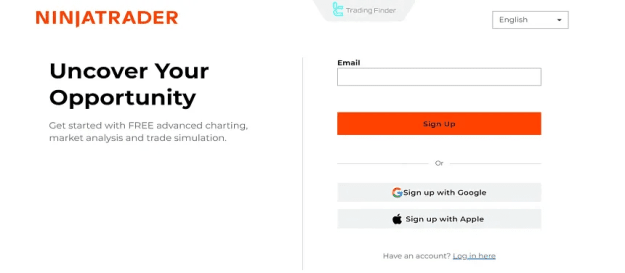
- Enter your email and initiate registration: Provide a valid email address for the continuation link, then click Sign Up. Direct sign-in using Google or Apple is also available.
- Verify your email and create an account: Open the email from NinjaTrader and click "Confirm Email Address." Next, select a username and a strong password, then click "Create User."
- Choose the account type (Live or Demo): Select "Open Account" for a live account or "Try risk-free simulated trading" for a practice account.
- Create a Demo Account (Practice and Test): Fill in personal details (name, city, phone number, country) and click "Continue." A demo account is instantly created with a virtual balance of $50,000. Click Trade to enter the environment.
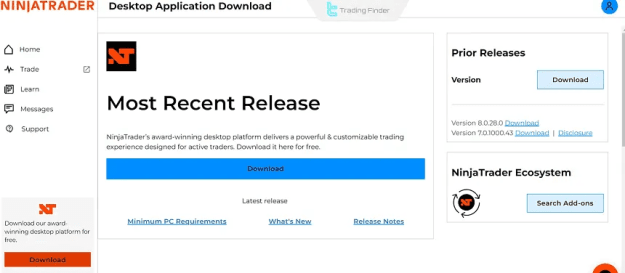
- Download or run the web version: NinjaTrader offers Web, Desktop (Windows), and Mobile versions. Choose the option best suited for your trading needs. The desktop version provides the most comprehensive features for advanced analysis and strategy development.
- Enter the NinjaTrader user interface: After logging in, click "Open Account" for live trading or "Try it" to use the demo version. Note that the demo account remains active for 13 days.
Which Brokers Support NinjaTrader? Examples of the Best
The platform connects to several highly reputable global brokers, allowing users to place trades in various markets through live accounts. Officially supported brokers include:
- NinjaTrader Brokerage: The platform's official, dedicated broker, fully integrated with NinjaTrader 8 and newer. It specializes in futures and micro futures with low commissions and fast execution.
- Interactive Brokers (IBKR): A leading international brokerage compatible via direct API integration. It offers trading in stocks, futures, forex, and options, favored by professionals for its liquidity.
- FOREX.com: A well-known forex broker offering full connectivity, real-time data, competitive spreads, and fast execution for retail and mid-level traders.
- FXCM: An established forex broker with complete compatibility, providing access to real-time data and straight-through order execution (STP).
- OANDA: A globally recognized broker supporting direct connection, known for transparent pricing, low spreads, and stable servers, suitable for forex and CFD trading.
- City Index: A reputable UK brokerage specializing in CFDs and forex, connecting via API, popular in Europe for its wide range of symbols and commodities.
NinjaTrader vs. MetaTrader
NinjaTrader is engineered for futures trading and advanced automated strategies, whereas MetaTrader is primarily focused on forex and simplicity of use.
The fundamental differences lie in their data handling, programming languages, and degree of control over strategies. NinjaTrader is more specialized and feature-rich for power users, while MetaTrader is generally more accessible for beginners.
Key comparative points include:
- Primary Purpose: NinjaTrader focuses on futures and advanced market analysis; MetaTrader concentrates on forex and CFD trading.
- Programming Language: NinjaTrader uses NinjaScript; MetaTrader uses MQL4 / MQL5.
- Automated Trading: NinjaTrader offers highly advanced automation with precise strategy control; MetaTrader's automation is functional but more limited.
- Order Flow and Volume Analysis: Available in NinjaTrader (Order Flow+ edition); Not available in MetaTrader.
- Price Data (Data Feed): NinjaTrader requires connection to a specific data provider or broker; MetaTrader receives data directly from the brokerage.
- Broker Support: NinjaTrader has a limited but professional list of supported brokers; MetaTrader has broader, more diverse global support.
Conclusion
NinjaTrader stands as a specialized and potent platform for professional traders requiring advanced analytical tools, automated trading, and precise order execution. With support from reputable brokers and a high degree of customizability, it is a powerful choice for analysis and trading in the futures and forex markets.
However, its technical complexity and system requirements may present a barrier for inexperienced users. Ultimately, the selection between NinjaTrader and competitors like MetaTrader should be based on a trader's specific goals, experience level, and target market.