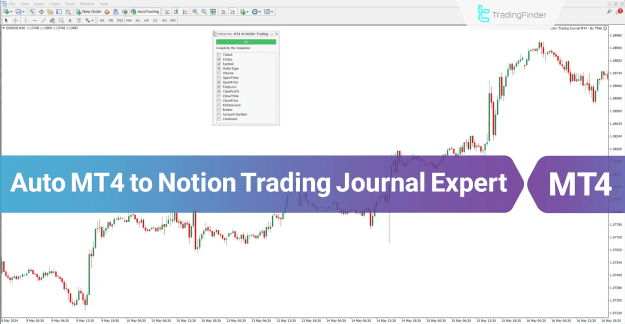
The MT4 Trading Journal Logging Expert for Notion is an intelligent tool that seamlessly syncs your trading activity with a Notion workspace. It automatically records key details such as order type, entry time, trade volume, take profit, stop loss, and more—allowing you to maintain a clean, real-time digital trading journal without the need for manual updates.
 You can download it from this link:
https://cdn.tradingfinder.com/file/5...4-by-tflab.zip
 For instructions on how to install:
https://cdn.tradingfinder.com/file/527311/auto-mt4-to-notion-trading-journal-mt4-by-tflab.zip
Prop Firm DrawDown Protector : Prop Firm Capital Protection Expert MT4 | Forex Money Management: Forex Trade Management Expert MT4 |ICT Concepts Indicator MT4 | Smart Money Concepts Expert MT4| Smart Money Trap Scanner | Get a free Expert Advisor license via Telegram and WhatsApp
Key Features
You can download it from this link:https://cdn.tradingfinder.com/file/5...4-by-tflab.zip
For instructions on how to install:https://cdn.tradingfinder.com/file/527311/auto-mt4-to-notion-trading-journal-mt4-by-tflab.zip
Inserted Video
Prop Firm DrawDown Protector : Prop Firm Capital Protection Expert MT4 | Forex Money Management: Forex Trade Management Expert MT4 |ICT Concepts Indicator MT4 | Smart Money Concepts Expert MT4| Smart Money Trap Scanner | Get a free Expert Advisor license via Telegram and WhatsApp
Key Features
- Platform: MetaTrader 4 (MT4)
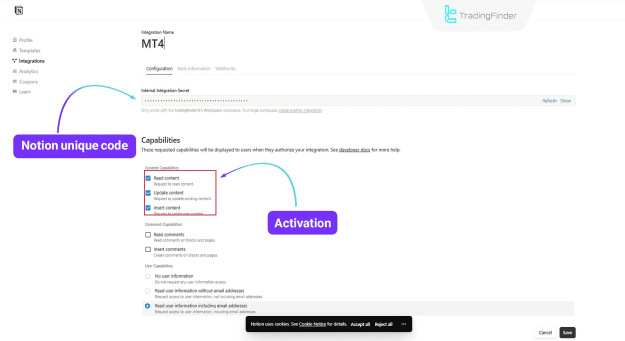
- Integration: Secure connection via Notion API token
- Data Logged: Trade ticket, symbol, entry/exit prices, stop loss, take profit, volume, profit/loss
- Format: JSON converted into Notion blocks
- Style: Fully automated journal creation
- Skill Level: Intermediate
How It Works
- The EA captures every trade executed in your MT4 terminal.
- Selected trade data is automatically sent to your chosen Notion database.
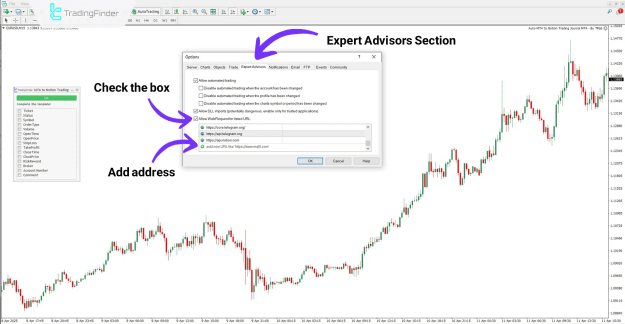
- MT4’s WebRequest must be enabled for communication.
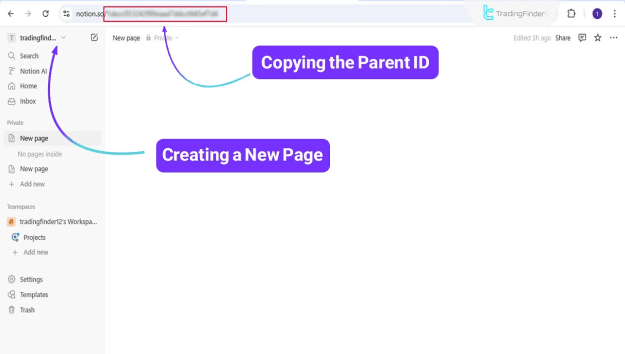
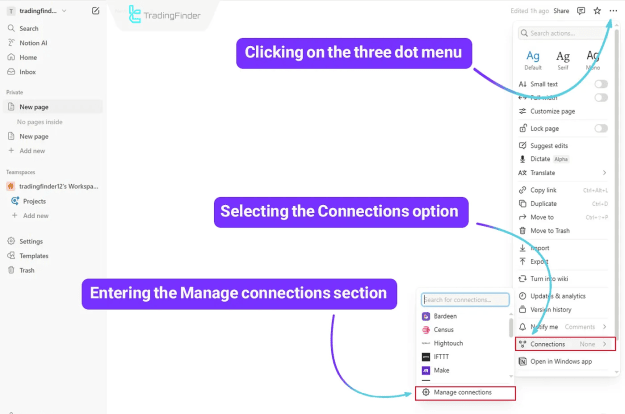
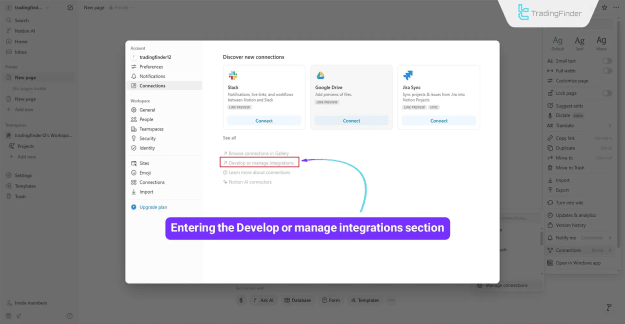
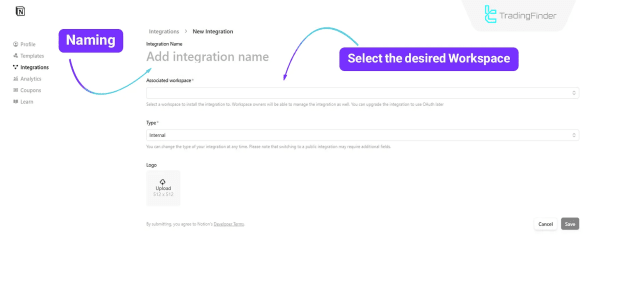
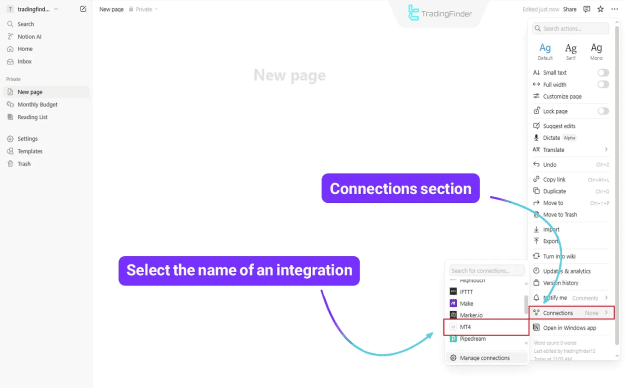
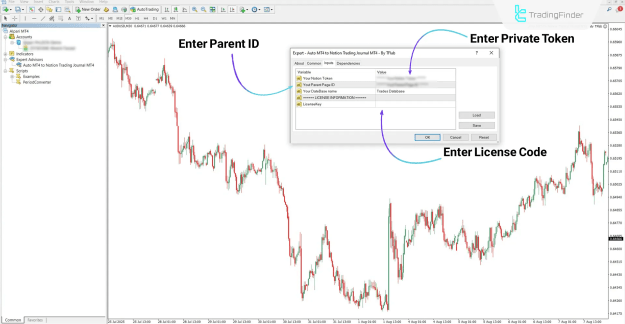
- Users simply enter their Notion API token and Parent Page ID in the EA settings.
Example Use Case
- Place a trade in MT4 → it’s instantly logged in Notion.
- Journal entries include ticket number, order type, open/close time, profit, risk-to-reward ratio, broker details, and personal notes.
Configurable Settings
- Choose which fields to log (symbol, entry price, stop loss, take profit, volume, comments, etc.)
- Option to log only closed trades or all trades
- Include account and broker details in each record
- Customize how R:R (risk-to-reward) is calculated and displayed
Conclusion
This free Expert Advisor is an ideal solution for traders who want a streamlined, automated way to document trades in Notion. No more spreadsheets or manual record-keeping—just clean, structured, real-time data flowing directly from MT4 to your personal trading dashboard.
Attached Image(s) (click to enlarge)