The indicator uses a clear visual system:
- Blue indicates an uptrend (bullish conditions)
- Red indicates a downtrend (bearish conditions)
This straightforward color structure improves chart readability and supports faster trade decisions.
 You can download it from this link:
https://cdn.tradingfinder.com/file/5...5-by-tflab.zip
 You can also access the MetaTrader 4 version of this Indicator through this page:
https://www.cryptocraft.com/thread/1...-mt-4-download
 For instructions on how to install:
https://www.forexfactory.com/thread/...-in-metatrader
Prop Firm DrawDown Protector : Prop Firm Capital Protection Expert MT5 |Forex Money Management: Forex Trade Management Expert MT5 | ICT Concepts Indicator MT5 |Smart Money Concepts Expert MT5 | Smart Money Trap Scanner | Get a free Expert Advisor license via Telegram and WhatsApp
Trend by Angle Indicator Specifications (MT5)
- Indicator Categories
- Currency Strength MT5 Indicators
- Trading Assist MT5 Indicators
- Levels MT5 Indicators
- Platform
- MetaTrader 5 (MT5)
- Trading Skill Level
- Intermediate
- Indicator Type
- Reversal MT5 Indicators
- Timeframe
- Multi-Timeframe (MTF)
- Trading Style
- Intraday Trading
- Trading Instruments
- Forex
- Cryptocurrency
- Stock Market
Trend by Angle Indicator at a Glance
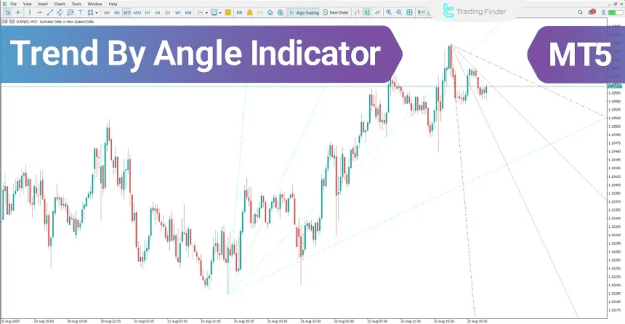
The Trend by Angle Indicator displays market direction through angled trend lines derived from changes in price and time. Since the indicator updates in real time, it provides a structured representation of momentum and directional bias.
It is essential to understand that the visual slope of the angle lines may change depending on the chart layout in MetaTrader 5. Factors such as:
- zooming in or out
- resizing the chart window
- modifying the time or price scale
can alter how steep or flat the angles appear. Nevertheless, the indicator’s internal calculations remain unchanged, meaning the trend logic stays consistent.
Trend by Angle Indicator in a Bullish Trend
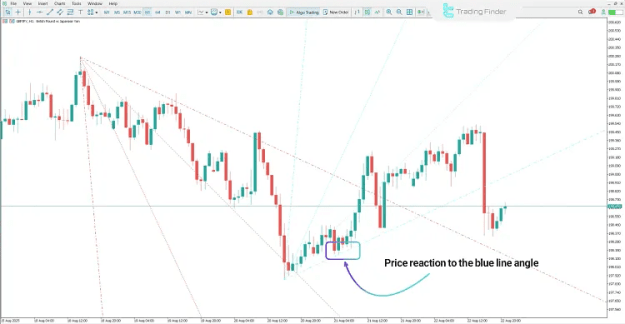
On the GBP/JPY (1-hour) chart, the appearance of a blue angle suggests that price structure is shifting toward bullish strength.
In bullish conditions, traders often focus on the following confirmations:
- a channel-like structure forming within the indicator zone
- a pullback returning toward the angle level
- price reacting positively at the angle line
- a bullish candlestick close confirming demand
When price respects the angle level and a bullish candle closes, the indicator can be used as a reliable buy-entry confirmation, particularly when aligned with the overall market trend.
Trend by Angle Indicator in a Bearish Trend
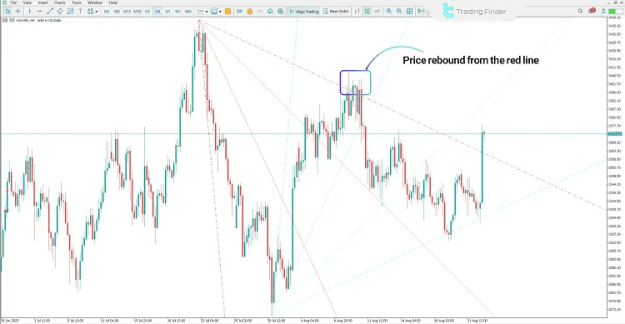
On the Gold (XAUUSD) 4-hour chart, when the market is trending downward, the indicator prints a red angle, confirming bearish dominance.
Common bearish confirmations include:
- price returning toward the red angle line
- inability to break above the angle level
- visible rejection from the angle line
- a bearish candlestick close as final confirmation
If price fails to break through the angle after a pullback, it typically signals that bearish pressure remains active. In this structure, a bearish candle close can be treated as a practical sell-entry setup.
Trend by Angle Indicator Settings (MT5)
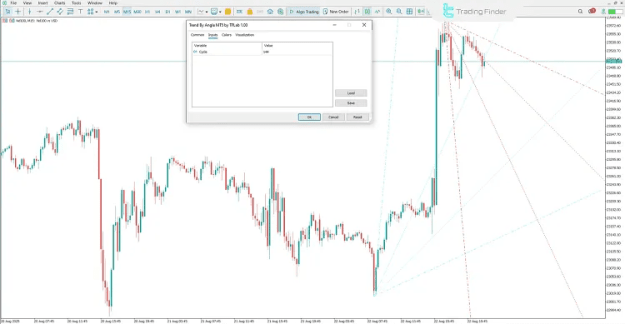
The Trend by Angle Indicator includes a simple and efficient settings panel to ensure usability without unnecessary complexity.
Cycle
- Defines the trend calculation period
- Controls sensitivity and smoothness:
- lower values increase responsiveness
- higher values reduce noise and smooth the trend
Conclusion
The Trend by Angle Indicator for MetaTrader 5 is a structured trend-analysis tool designed to highlight market direction using dynamic angle-based visualization.
By applying:
- blue angles for bullish trends
- red angles for bearish trends
it offers a clean and practical method for trend identification. With real-time updates and minimal lag, the indicator supports stronger decision-making for intraday traders across Forex, crypto, and stock markets.