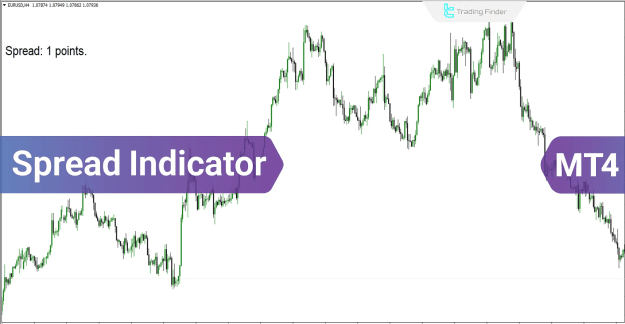
The Spread Indicator MT4 is a simple yet powerful tool that shows the difference between the Bid and Ask prices directly on your chart. The spread value is displayed in points (pipettes) and is positioned in the top-left corner of the chart for quick reference.
 You can download it from this link:
https://cdn.tradingfinder.com/file/2...tflab-v1-2.zip
 For instructions on how to install:
https://www.forexfactory.com/thread/...-in-metatrader
Prop Firm DrawDown Protector : Prop Firm Capital Protection Expert MT4 |Forex Money Management: Forex Trade Management Expert MT4 |ICT Concepts Indicator MT4 | Smart Money Concepts Expert MT4| Get a free Expert Advisor license via Telegram and WhatsApp
Indicator Overview
You can download it from this link:https://cdn.tradingfinder.com/file/2...tflab-v1-2.zip
For instructions on how to install:https://www.forexfactory.com/thread/...-in-metatrader
Inserted Video
Prop Firm DrawDown Protector : Prop Firm Capital Protection Expert MT4 |Forex Money Management: Forex Trade Management Expert MT4 |ICT Concepts Indicator MT4 | Smart Money Concepts Expert MT4| Get a free Expert Advisor license via Telegram and WhatsApp
Indicator Overview
- Categories: Money Management, Trading Assist, Risk Management
- Platform: MetaTrader 4 (MT4)
- Skill Level: Intermediate
- Type: Lagging Indicator
- Timeframes: Multi-timeframe support
- Trading Styles: Day Trading, Intraday, Scalping (fast and regular)
- Markets: Forex, Stocks, Shares, Cryptocurrencies
How It Works
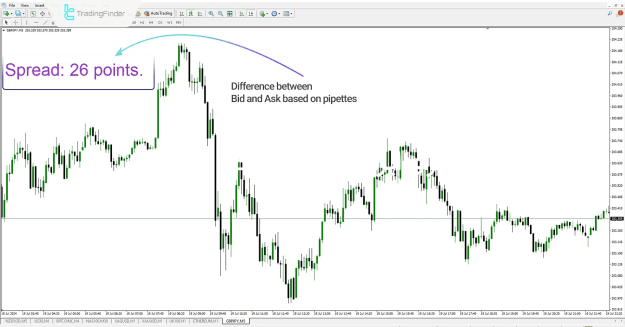
On any chart, the indicator calculates and displays the spread (the gap between Bid and Ask prices).
For example:
- On a 5-minute GBP/JPY chart, the spread difference is shown clearly in the chart corner.
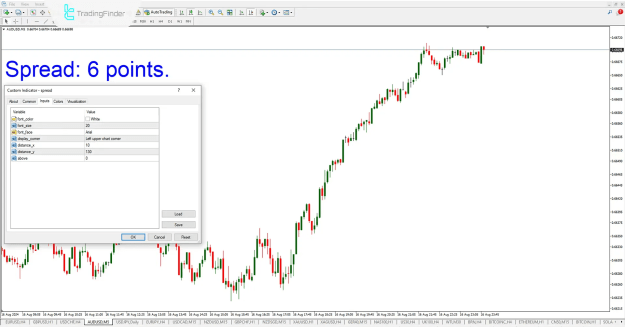
- On a 5-minute AUD/USD chart, traders can see spread values in real time, helping with risk and cost management.
Customization & Settings
The Spread Indicator comes with adjustable parameters to suit any trader’s style:
- Font_Color – Choose your preferred text color
- Font_Size – Adjust the size of the displayed spread
- Font_Face – Select the font type
- Display_Corner – Pick the corner where the indicator appears
- Distance_x / Distance_y – Control the horizontal and vertical positioning
- Above – Set alerts when the spread reaches a defined threshold
Conclusion
By monitoring spreads in real time, the Spread Indicator helps traders manage their trading costs more effectively. Whether you trade Forex, stocks, or crypto, it ensures you stay aware of how spreads impact your positions—an essential step in smart risk and money management.
Attached Image(s) (click to enlarge)