Key Features:
 Instant Notifications – Receive alerts as soon as market conditions change. Multiple Destinations – Send alerts to personal messages, groups, or channels. Customizable Messages – Use placeholders like {{ticker}}, {{close}}, and {{time}}. Easy Webhook Management – Create, edit, pause, or delete alerts through a mini app in Telegram.
You can click this link to start using the Telegram mini-app tool:
https://t.me/tfwebhook_bot
 Step-by-Step Guide to Setting Up TradingView Alerts on Telegram
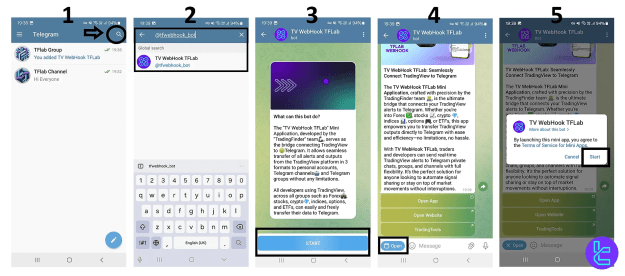
#1 Add the Webhook Bot to a Destination
You can send alerts to:
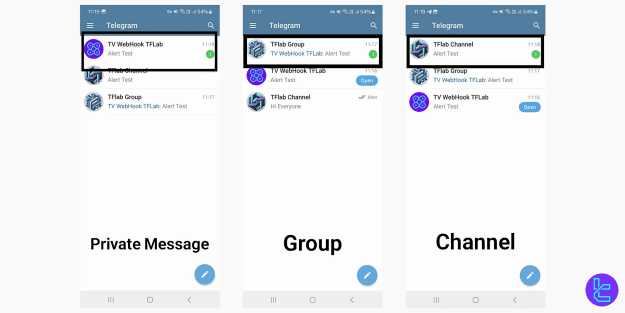
 Private Chat – Get notifications directly in Telegram. Telegram Group – The group owner must add the bot. Telegram Channel – The channel owner must set the bot as an admin.
 Tip: Ensure the bot has admin permissions before proceeding.
#2 Open the TradingView Webhook Mini App
 Search for "@tfwebhook_bot" in Telegram.
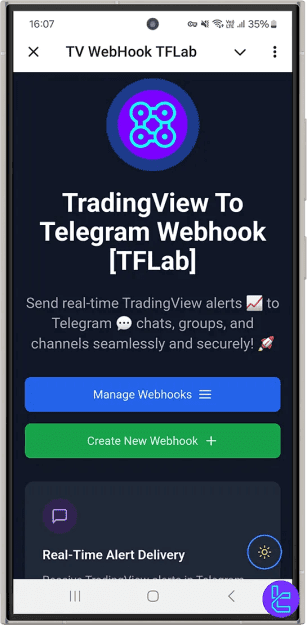
 Click on the displayed option to open the "TV WebHook TFLab" mini app.
#3 Create a New Webhook
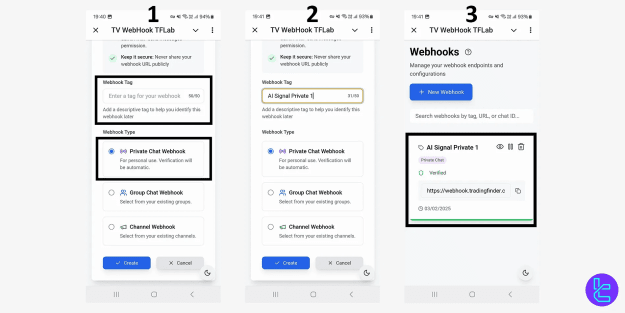
In the mini app, click on "Create New Webhook". Enter a descriptive name (e.g., Forex Alerts, Crypto Signals). Select a destination (Private Chat, Group, or Channel).
 The bot generates a Webhook URL – copy it for TradingView setup.
#4 Configure TradingView to Send Alerts
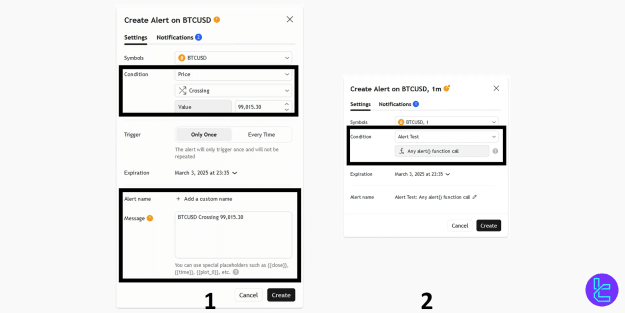
Log in to your TradingView account and open a chart. Click the "Alert" button at the top of the chart. Select an indicator, price level, or custom condition for your alert. In the alert settings window: Enable "Webhook URL" and paste the copied URL. Customize the alert message using placeholders:- {{ticker}} – Displays the asset symbol.
- {{close}} – Shows the closing price.
- {{time}} – Indicates the alert activation time.
 Click "Create" to activate the alert.
 Now, TradingView will automatically send real-time alerts to Telegram whenever the conditions are met!
#5 Manage & Edit Webhooks
View Active Webhooks – Click "Manage Webhooks" in the mini app to see existing alerts.
Modify Webhooks – Edit the name, destination, or URL.
Pause/Resume Webhooks – Temporarily stop alerts with the Pause button.
Delete Webhooks – Remove a webhook to stop receiving alerts.
Final Thoughts
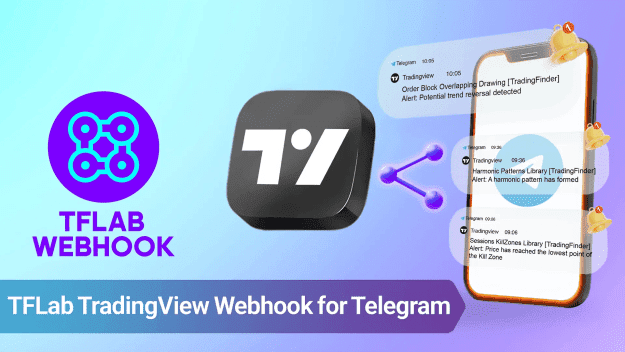
The TradingView alert webhook for Telegram is a game-changer for traders who need instant updates on forex, crypto, and stock markets. By automating alerts, you can react faster and make better trading decisions without constantly monitoring charts.
Get started today and enhance your trading strategy with real-time alerts in Telegram!